Why I Built Remote SQLite
SQLite is the best database for most web apps. The moment you deploy, you lose every GUI tool you've ever loved. Here's why I got tired of it and built the thing I wanted.
Spicer Matthews
Founder, Cloudmanic Labs
Every time I needed to check a record in production, I'd SSH into the server and type raw SQL in a terminal. No autocomplete. No schema browser. Just me and a blinking cursor in 2026, debugging like it was 1995.
I'm a SQLite guy. I deploy almost everything on it. SQLite is fast, it's boring in the best way, the file lives next to my app, and I don't have to babysit a separate database process. For 90% of the apps I ship, it's flat-out the right choice.
But the moment I deployed, I lost the one thing every other database gives you for free: a real GUI. PostgreSQL? Open TablePlus, punch in the host, done. MySQL? Same story. MongoDB, Redis, even DynamoDB — every one of them has a network-attached model that you can poke at from your laptop.
SQLite doesn't. SQLite is a file. The file lives on a server. Your GUI lives on your laptop. There is no port, no host, no network protocol. There's just a file you can't reach.
The bad options
For years I cycled through every workaround I could come up with:
- SSH and a terminal. Opens fast, but you're typing SQL by hand with no schema info, no autocomplete, and no way to scroll through results that don't fit on a screen.
- SCP the file down. Works for small databases at a single point in time. Useless the moment the production database has live writes — by the time you've poked at your snapshot, the real data has moved on.
- Build a one-off admin webapp. Every project. Every time. A few endpoints to "just let me see the users table." It bit-rots immediately, has no auth I trust, and I rebuild it in the next project from scratch.
- Run a SQLite-aware GUI server-side. There are a couple of web-based viewers you can deploy alongside the database. They're fine, but now you're standing up another service, securing it, and using a GUI tool that's nobody's favorite.
None of these are the experience. The experience is the one PostgreSQL users get: open the tool you already love, browse tables, run a query, leave. That experience just didn't exist for remote SQLite.
Why this gap exists
Every database tool you've used — TablePlus, DBeaver, DataGrip, Postico — speaks network protocols. They open a TCP socket, do a handshake, and send queries. PostgreSQL, MySQL, and Redis all ship a server process whose job is to listen on a port and answer those queries.
SQLite has no server. There's nothing on the other end of a socket. The "database" is a library linked into your app's process, reading and writing a file. So when your GUI tool asks "what host should I connect to?" — there's no answer that makes sense for SQLite.
The fix has to bridge two worlds: your GUI tool expects a network database, and your data is sitting on the far side of an SSH connection. Somebody has to translate between them. For a long time, nobody bothered, because SQLite-in-production was a niche taste. That's changed.
What Remote SQLite actually does
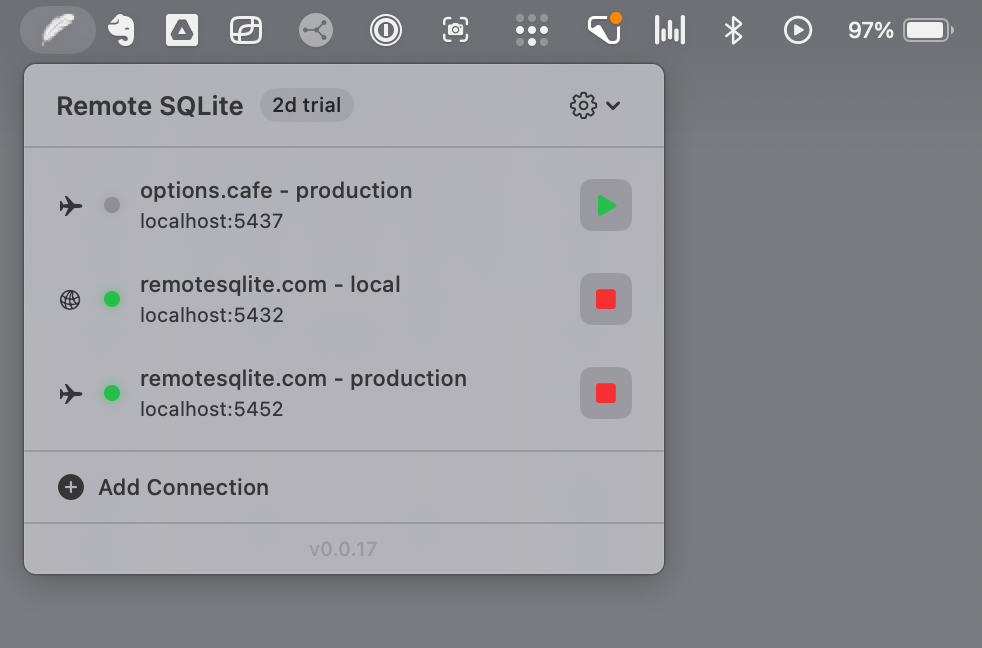
Remote SQLite is a tiny macOS menu bar app that runs two things at once:
- A local PostgreSQL wire-protocol server, bound to
localhost. This is what TablePlus connects to. As far as your GUI knows, it's talking to a normal Postgres database running on your Mac. - A persistent SSH session to your server. Queries that come in on the local port get translated to SQLite, shipped over SSH, executed against the real database file, and the results come back over the same connection.
No daemon you install on the server. No cloud relay in the middle. No account to create. Your data goes from your remote machine, through your own SSH connection, straight to your laptop.
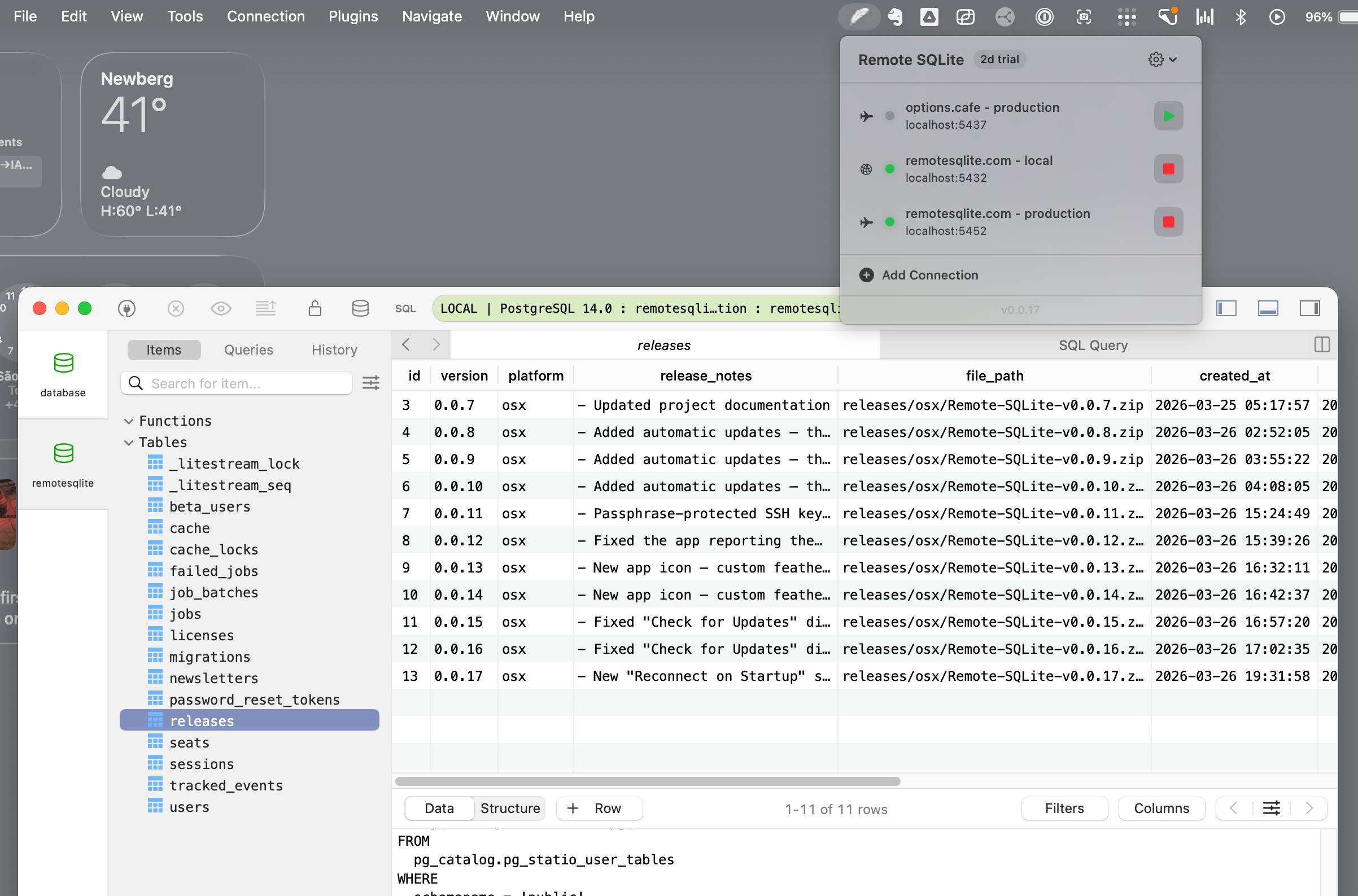
The result is that you point TablePlus at localhost and it just works. Browse tables. Run a query. Edit a row. Export to CSV. All the normal things you'd do with Postgres, but pointed at your remote SQLite file.
The ~85ms thing
The first version of this idea was a shell script that opened a new SSH connection per query. It worked. It was also miserable. SSH handshakes take 3 to 4 seconds, and they happen every time the GUI sends a query. Every time. You'd hit "browse table" and stare at a spinner.
The actual product keeps a persistent SSH session open from the moment you click "start." Queries hop into that existing session and come back in roughly 85 milliseconds — fast enough that browsing a table feels local. That single design choice is the difference between a tech demo and something you'd actually use every day.
Built with SQLite-in-prod in mind
A handful of details came out of using this in my own day-to-day:
- Read-only mode. A toggle per connection. When it's on, no
UPDATE, noDELETE, noDROP— useful when you're poking at prod with a stranger watching your screen, or when you're handing the connection over to an AI agent. - Fly.io first-class. If you're on Fly, you don't have to set up SSH keys. Remote SQLite calls
fly ssh consoleunder the hood using your already-authenticated Fly CLI. - iCloud sync. Your connection list follows you between machines.
- Keychain for credentials. Nothing in plain text on disk.
- Query logs. A scrolling list of every query, so when something feels slow you can actually see what your GUI is doing behind the scenes.
Who this is for
If you're running a Laravel app on a single Fly machine with a SQLite file, this is for you. If you're a Rails developer doing litestream backups on a $5 droplet, this is for you. If you're shipping a Phoenix app and you keep telling yourself "I'll set up a proper DB someday" — you don't have to. SQLite is the right call. The tooling just needed to catch up.
This isn't a product for people running 50-node Postgres clusters with replicas in three regions. That's a different world with different problems. This is for the increasing number of us who've decided that one file on one machine is the right answer, and would like to keep the GUI experience we had before we made that choice.
The pricing thing
Try it free for 7 days. After that it's $50. One time. You pay once, you own it. There's no subscription, no monthly fee, no usage tier. I'm a developer; I'm tired of every utility I install becoming a $9/month recurring charge that I forget about.
I built this for myself. Turns out a lot of developers have the same itch.
If you've been doing the ssh server && sqlite3 app.db dance, give it a week. I think you'll wonder how you did without it.
— Spicer
Stop SSH'ing. Start browsing.
Free 7-day trial. $50 one-time after that. macOS 13 or later.